9 Attention-Worthy CoConstruct Alternatives to Look for in 2026


Last updated in December 2025
If you’re evaluating CoConstruct alternatives, you’re likely already familiar with the friction points that surface as projects scale. What once worked for smaller teams can start to feel limiting when estimating, budgeting, and scheduling need to stay tightly connected.
Going through endless demos, trials, and errors is the last thing you want when there are new and ongoing projects. That’s why I’ve done the hard lifting, and today you will get the most comprehensive review of alternative construction software solutions.
I’ve focused on how each platform fits into real construction workflows, where they perform well, and where gaps tend to appear, so you can make a clear, informed decision based on how your team actually works.
Table of Contents
- Why Look for a CoConstruct Alternative in 2026?
- Buildern
- Builderpad
- COINS
- Fieldwire
- Projectmates
- On-Screen Takeoff
- IntelliBid
- Jonas Construction Software
- GCPay

Why Look for a CoConstruct Alternative in 2026?
CoConstruct users have been living in a “two realities” setup for a while. On the one hand, it is familiar and still usable for many residential workflows. On the other hand, it has been part of Buildertrend since February 24, 2021, so the direction, product decisions, and long-term roadmap sit inside the Buildertrend ecosystem now.
In practice, that changes what “staying with CoConstruct” means. If your team prefers a lighter tool or you want tighter cost control without being pushed into a bigger suite, it is normal to start comparing alternatives.
Here are the most common reasons builders end up shopping around:
- Platform direction and overlap after the acquisition. Many teams feel they are effectively being funneled toward a Buildertrend-style workflow over time
- Cost control and financial workflow gaps. When estimating, budgeting, and job costing live in separate places, you get delays, missed cost impacts, and messy change order documentation.
- Feature depth mismatches. Some builders want deeper estimating and budget visibility. Others want a simpler client and field tool. CoConstruct sits in the middle, which can feel like “almost enough” in both directions.
- Switch fatigue. If your team is already managing active jobs, you want a product that reduces admin work quickly, not another long onboarding cycle.
So, let’s dig in!
1. Buildern
When builders start looking beyond CoConstruct, the underlying issue is rarely a missing feature. More often, it is the lack of continuity between estimating, budgeting, execution, and financial control. Buildern is built around that continuity. It supports the full construction lifecycle without forcing teams to stitch together disconnected tools.
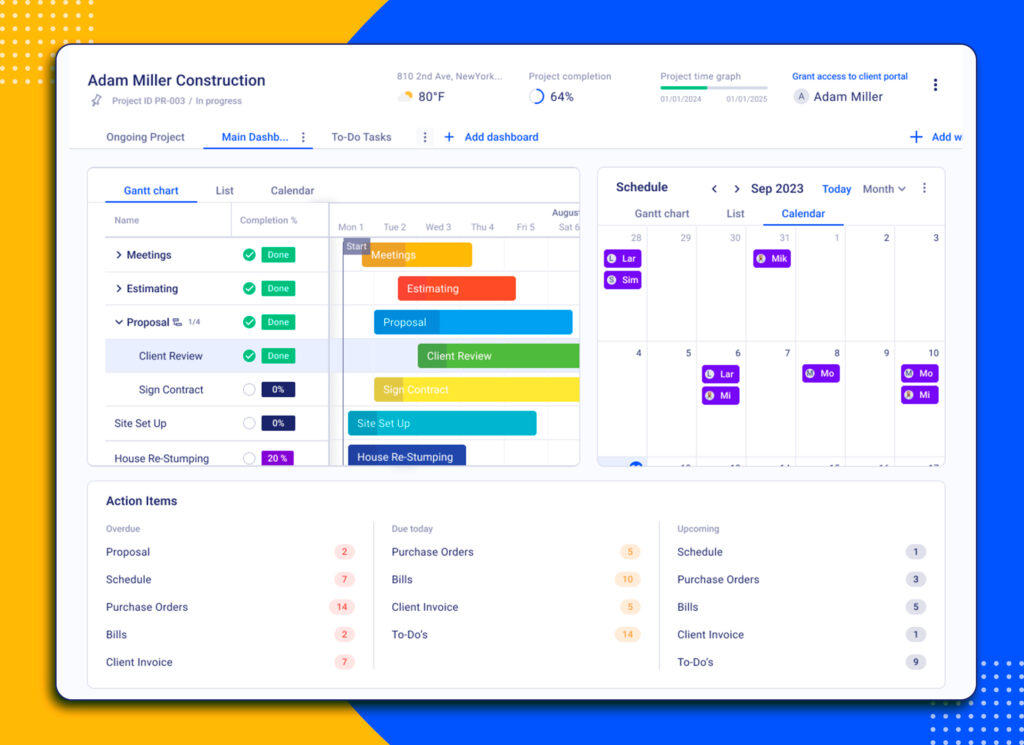
Buildern has evolved directly from how builders actually work in the field and the office. The platform is shaped around real project data, real estimating structures, and real financial workflows, with AI now playing a practical role in reducing manual effort rather than adding surface-level automation.
Instead of treating preconstruction, project management, and financial tracking as separate modules, Buildern connects them into a single operational system.
Key Feature #1 End-to-End Construction Takeoff and Estimating
Buildern’s takeoff and estimating tools are designed to eliminate duplicate work. Quantities, costs, and structure move forward naturally from takeoff to estimate and then into the project budget.
Builders can generate estimates from multiple starting points, including takeoffs, templates, cost catalogs, spreadsheets, or historical project data. AI-assisted estimating helps speed up cost assembly, suggest structured line items, and reduce repetitive manual input while keeping full control in the builder’s hands.
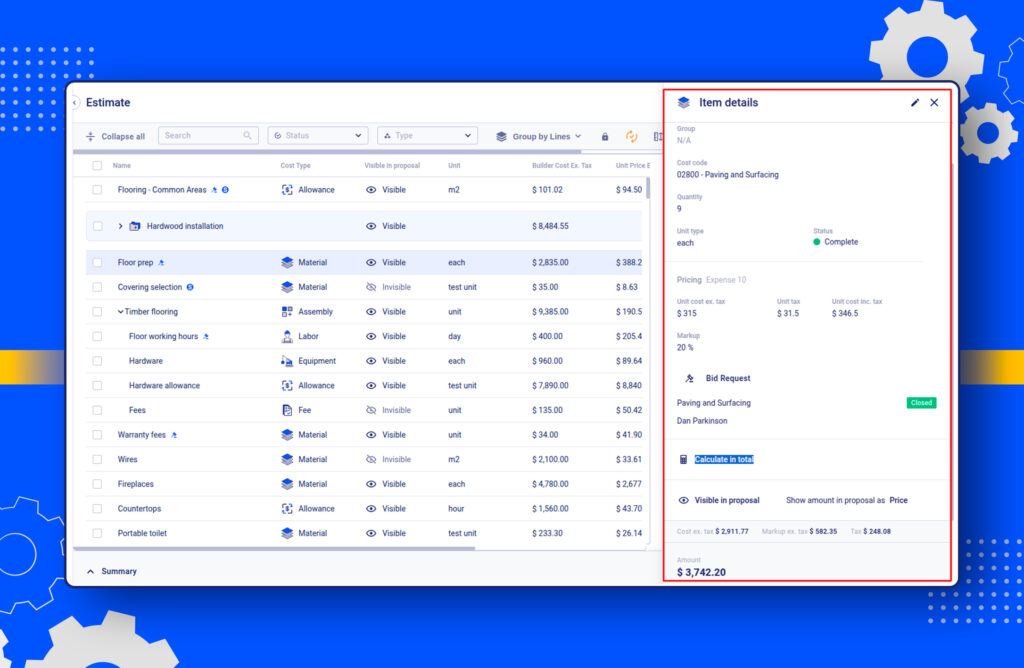
Estimates can account for labor, materials, taxes, overheads, markups, and contingency without relying on external calculations. Overheads and fees can be predefined or adjusted as needed, even after construction has started, with changes reflected directly in the live budget.
Line items can be grouped, adjusted, and updated dynamically. When quantities or costs change, the estimate and budget update accordingly, keeping numbers aligned across the project.
Takeoffs in Buildern support the following measurement types:
- Area
- Roof area
- Vertical area
- Length
- Count
- Count with length
- Volume
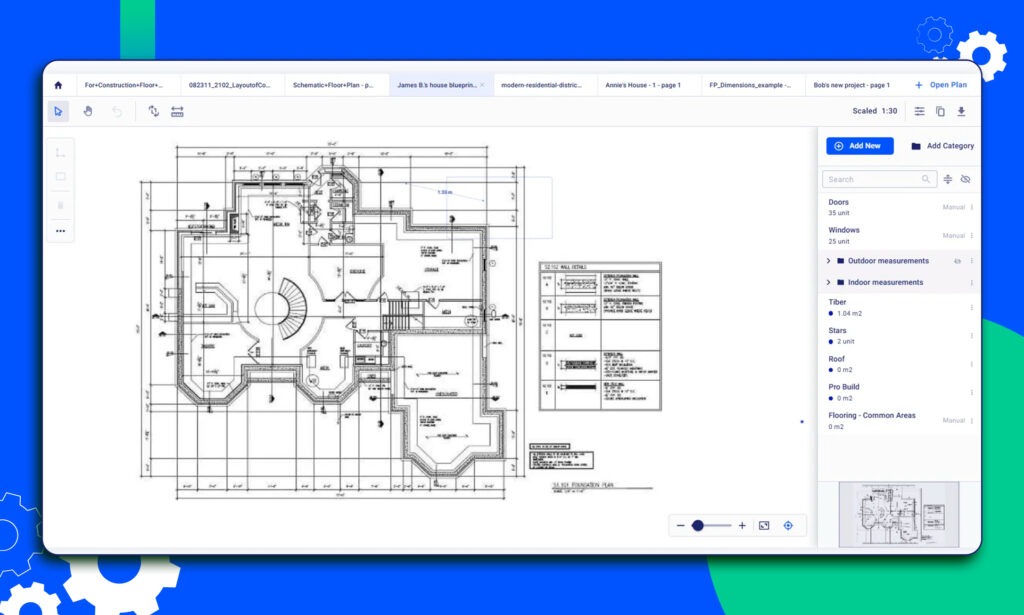
PDF drawings can be uploaded directly, allowing builders to measure quantities accurately without switching platforms. Waste factors can be applied as percentages, ensuring estimates reflect real-world conditions instead of ideal assumptions.
Because takeoffs feed directly into estimating and budgeting, there is no re-entry of data and no loss of detail as the project moves forward.
Key Feature #2 Scheduling That Reflects Real Construction Logic
Buildern’s scheduling tools focus on clarity and adaptability. Tasks can be created, assigned, and adjusted using a visual interface that reflects how construction schedules actually change in practice.
Dependencies in Buildern show the relationship between different tasks, ensuring the sequence of operations is logical and efficient.
The software offers four types of dependencies:
- Finish-to-start
- Start-to-finish
- Start-to-start
- Finish-to-finish
This allows project teams to see how delays or changes affect downstream work. The critical path view highlights the chain of tasks that directly impact project completion, making it easier to identify bottlenecks and adjust resources before delays escalate.
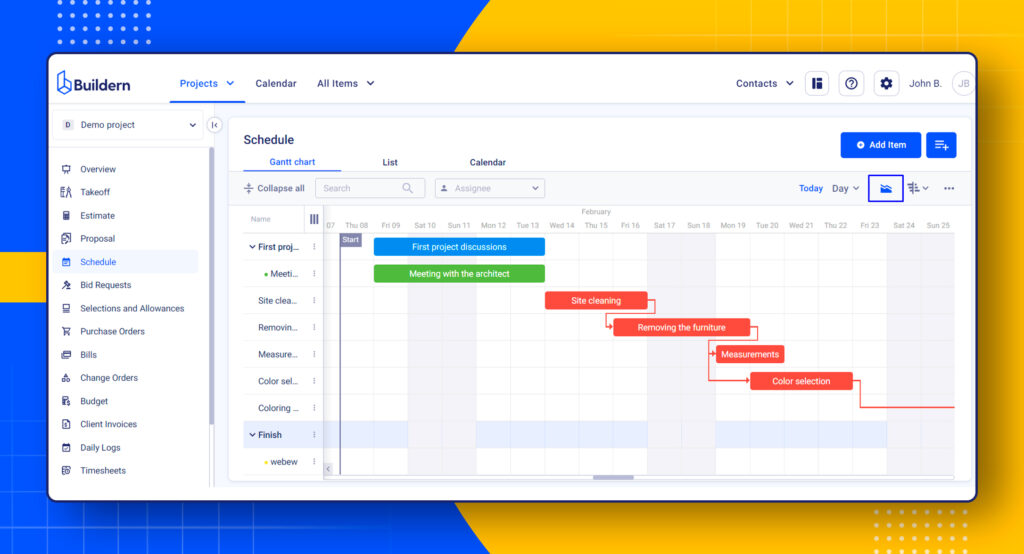
For example, a finish-to-start dependency means that a particular task cannot begin until a preceding one is completed, essential for maintaining order and timing within projects. By utilizing these dependencies, Buildern ensures that project schedules remain precise and adaptable to changes, significantly reducing the risk of delays.
One Platform Across Construction Phases
Buildern is structured to support builders across every stage of work:
- Preconstruction and estimating
- Active project management
- Financial tracking and controls
- Client and team communication
It includes tools such as cost catalogs, bid requests, selections with allowances, change order tracking, document control, and CRM-style project organization, all connected within a single system.
The emphasis is not on having more features, but on having fewer gaps between them.
Key Feature #3 Accounting Integrations and Financial Management
When looking for a professional CoConstruct alternative, one crucial aspect to consider is the financial management tools offered by the software. Buildern, as a comprehensive project management solution, offers seamless integration with popular accounting software such as QuickBooks and Xero.
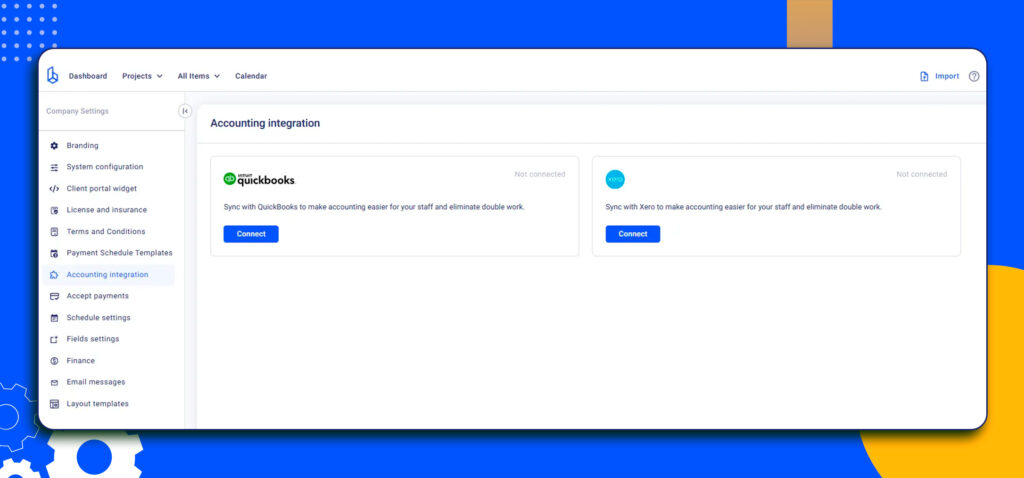
This integration enables project managers to keep track of project finances in real time, reducing the likelihood of overspending or going over budget.
Buildern users can use the two-way accounting integration to consolidate all project expenses in one place.
This is especially important if they:
- Have card or bank transactions in their accounting software
- Use a third-party platform to capture their financial documents (Hubdoc, Dext, or Expensify)
Thus, creating with the builders’ core needs in mind, Buildern allows you to pull expenses from your accounting software and keep everything stored in your account.
In addition to accounting integrations, Buildern also offers comprehensive financial management tools, including invoicing, budget tracking, and cost estimation. Invoicing is made easy with customizable tools and automatic reminders to ensure timely payments from clients.
Data Migration Without Disruption
For teams moving from CoConstruct or other platforms, Buildern supports structured data import to reduce friction during transition. Estimates can be exported and brought into Buildern with minimal manual cleanup. Accounting data can be synced directly through existing integrations. The goal is to allow builders to move forward without losing historical data or pausing active work, so teams can adopt Buildern without downtime.
This feature ensures that transitioning to Buildern is easy and efficient, minimizing downtime and data loss, and allowing users to benefit from its comprehensive project management tools quickly.
Pricing
Starts at $250 per month for 2 paid users.
Buildern Ratings
- G2 Rating: 5.0 out of 5
- Capterra Rating: 4.9 out of 5
2. Builderpad
Pricing
Builderpad plans start at $49 per month (with limits on active projects).
Builderpad Ratings
On Capterra, Builderpad’s listing currently shows 0 reviews, so there is no reliable aggregate star rating to cite there yet.
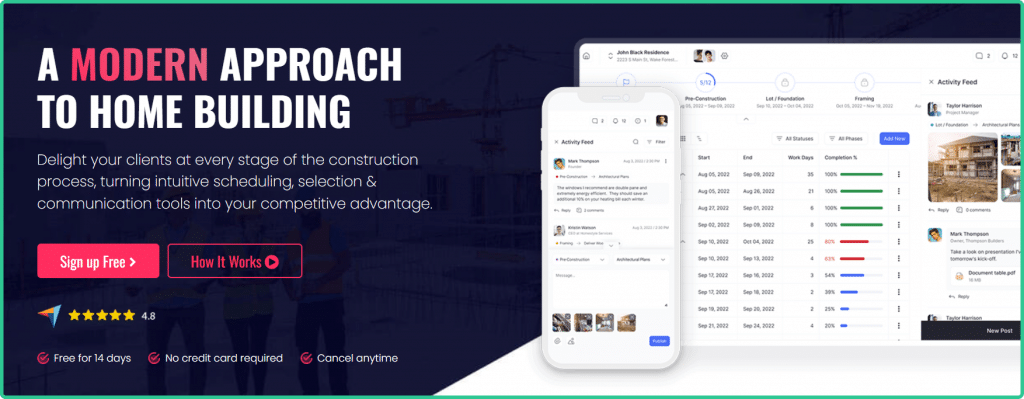
Builderpad is a simple platform with a relatively small number of features and tools. This makes it suitable mostly for small to medium-sized businesses with basic project management needs.
The software focuses on project scheduling, file management, selections, and communication. For more complex and detailed project management features, opting for other software may be a better choice.
Overall, as an alternative to CoConstruct, Builderpad is a good option for builders who prioritize simplicity and affordability.
Yet, users tasked with juggling several projects simultaneously may find Builderpad’s pricing strategy inconvenient. The software allows users to have only 3 active projects per month with their basic plan.
3. COINS

Pricing
Get a price quote by contacting them
COINS Ratings
- Capterra Rating: 4.4 out of 5
- G2 Rating: 3.6 out of 5
Designed as a set of specific software tools rather than a complete solution, COINS is another CoConstruct alternative. The platform offers a broad spectrum of applications dedicated to project delivery, operations & finance, and supply chain management, among others.
Like other alternatives to CoConstruct, COINS is also a cloud-based solution designed to ensure all applications integrate and provide users with real-time data.
The modular approach of COINS allows businesses to select and pay for only the features they need. However, it is worth noting that COINS might be overkill for smaller entities due to its complexity and higher price point.
The platform is specifically designed to cater to the needs of home building, contracting, engineering, and service management industries, emphasizing scalability. It supports expanding resources without limiting the number of users, applications, or data volume.
4. Fieldwire

Pricing
Starting at $39 per user/month (billed annually)
Fieldwire Ratings
- G2 Rating: 4.5 out of 5
- Capterra Rating: 4.6 out of 5
Fieldwire is a jobsite management software that brings collaboration and communication together in one easy-to-use platform. It allows on-site workers to stay up-to-date with the office and vice versa, keeping everyone on the same page.
Some of the features offered by Fieldwire are:
- Plan viewing helps users access the latest information and drawings, thus immediately tracking the project plan changes.
- The scheduling feature offers a calendar-based overview of the project and its current progress.
- As-built drawings and markups allow users to make changes in real time, accommodating any on-site modifications.
However, Fieldwire isn’t without its limitations. One notable drawback is its limited in-depth project planning capabilities. This has been a point of concern for several users who found that the software falls short in facilitating detailed and comprehensive project workflows from start to finish.
Its project planning features are more limited than some of the other CoConstruct alternatives, and the initial onboarding process for new users may require upfront guidance.
Users have also reported difficulties in efficiently working with documents, finding the process to be less intuitive than expected. This can pose a challenge in environments where document handling and quick, easy access to information are critical for day-to-day operations.
5. Projectmates
Pricing
Available upon request
Projectmates Ratings
- Capterra Rating: 4.3 out of 5
- G2 Rating: 4.3 out of 5
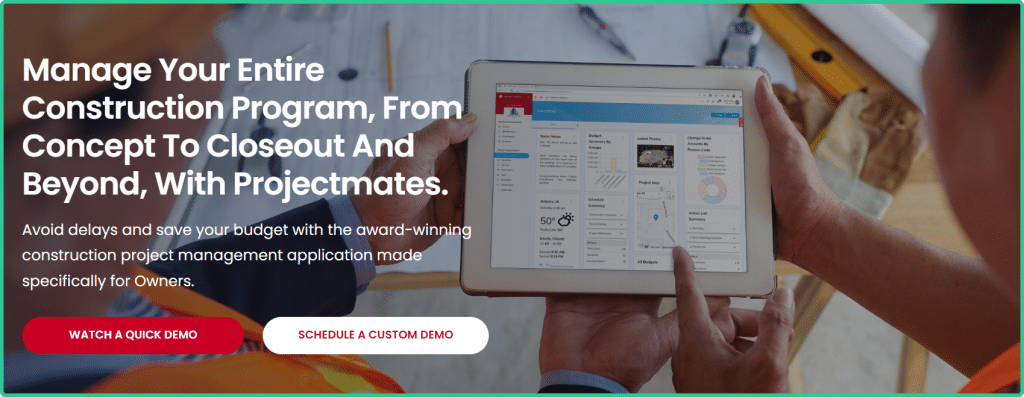
Serving diverse sectors like retail, real estate, and government, Projectmates emerges as a construction program management tool tailored specifically for owners. It is especially loved by its users thanks to the collaborative planning and design features. You can use Projectmates to get real-time access to the project drawings and specs, and even review them with the project team members.
Projectmates is different from other CoConstruct alternatives as it also offers capital project management functionality. With this, owners can access all the necessary resources to efficiently plan, distribute, and monitor capital improvement plans (CPIs).
The software can seem user-friendly to some users. However, as the software is mainly designed for high-level project management and larger teams, users looking for a simpler and well-organized solution may find Projectmates complex.
If you are more into plug-and-play type of software, you may need to reconsider Projectmates. This platform will require additional training and most likely a dedicated admin to oversee it.
6. On-Screen Takeoff

Pricing
Available upon request
On-Screen Takeoff Ratings
- Capterra Rating: 4.4 out of 5
- Software Advice: 4.3 out of 5
On-Screen Takeoff specializes in what it does best – takeoffs and plan viewing. It has been designed for projects that require precise material and labor takeoffs.
By utilizing features such as Typical Areas, Typical Groups, and Typical Pages, users can significantly reduce the monotonous work associated with performing takeoffs on similar sections of a project.
These features allow for the quick duplication and customization of work for repetitive elements, ensuring accuracy while saving time. This aspect of On-Screen Takeoff is particularly beneficial for large projects that have uniform spaces or structures, making it a highly efficient tool in the arsenal of construction professionals aiming for precision and efficiency in their planning and estimating processes.
However, despite its strengths in takeoffs, this CoConstruct alternative has its drawbacks. To have a complete suite of construction project management tools, you will need to invest in additional software, indicating a significant limitation.
Additionally, some users have reported that certain features are not as intuitive as they would like, requiring additional time to get accustomed to the navigation and workflow within the software. While construction project management isn’t expected to be a fancy and glamorous task, an updated and user-friendly interface is always appreciated in this day and age.
7. IntelliBid
Pricing
Available upon request
IntelliBid Ratings
- Capterra Rating: 4.5 out of 5
- G2 Rating: 4.0 out of 5
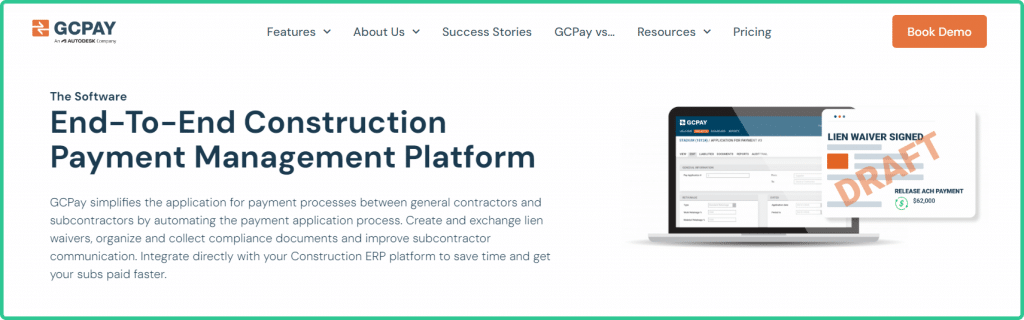
Developed by ConEst Software Systems, IntelliBid represents a unique niche among the alternatives to CoConstruct by specializing in electrical estimating. Tailored specifically for electrical and low-voltage contractors, IntelliBid has a comprehensive industry-smart material database.
With over 135,000 electrical and low-voltage material items and more than 500,000 pre-built assembly kits, the software accommodates all construction types, ranging from residential to industrial projects. This extensive repository allows users to perform precise and accurate estimates, streamline their procurement process, and enhance the overall efficiency of their electrical projects.
In addition to the standard subscription plan, IntelliBid also offers more advanced options through its IntelliBid Plus and Pro versions. The Plus version introduces enhanced takeoff features, enabling users to manage and execute their project takeoffs more efficiently. On the other hand, the Pro version comes packed with bid management capabilities.
However, if you dig a bit deeper into the user feedback, you’ll find concerns regarding its scope and focus. Many users note that if they seek an all-in-one solution to manage their construction project from start to finish, they will need to consider other solutions, as IntelliBid is mainly limited and concentrated on electrical estimating.
Plus, the software’s visual design has been critiqued for lacking in attractiveness and modernity, which can affect the overall user experience.
8. Jonas Construction Software
Pricing
Contact them for a custom pricing plan
Jonas Construction Software Ratings
- G2 Rating: 3.1 out of 5
- Capterra rating: 4.1 out of 5
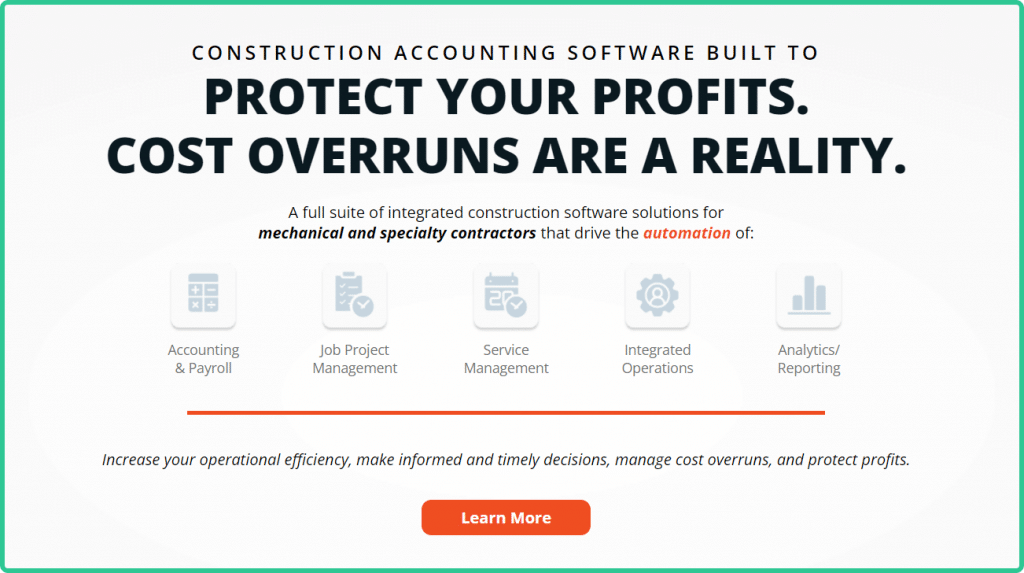
Jonas Construction Software is a construction accounting software solution with handy tools to manage your finances. It helps mechanical and specialty contractors control their resources and costs, ensuring the timely execution of projects within budget.
Among its features, Jonas Construction Software has accounting and payroll, job project management, service management, analytics, etc.
The software has many user reviews freely available on the web, most of which promote the idea that it is a very user-friendly and accessible platform.
However, it’s crucial to note that there are also numerous reviews pointing out the shortcomings of Jonas Construction Software, with one of the most frequent concerns being the lack of responsive customer support. Users have expressed frustration over delayed responses and the difficulty of obtaining help for pressing issues, which can significantly impact project timelines and overall satisfaction with the software.
Moreover, the software’s focus on finance may come at the cost of more comprehensive project management features. If you are willing to invest in a single CoConstruct alternative, rather than subscribe to several supporting software, opting for other solutions may be beneficial.
9. GCPay
Pricing
Contact them for a custom pricing plan
GCPay Ratings
- G2 Rating: 4.6 out of 5
- Capterra: 4.7 out of 5
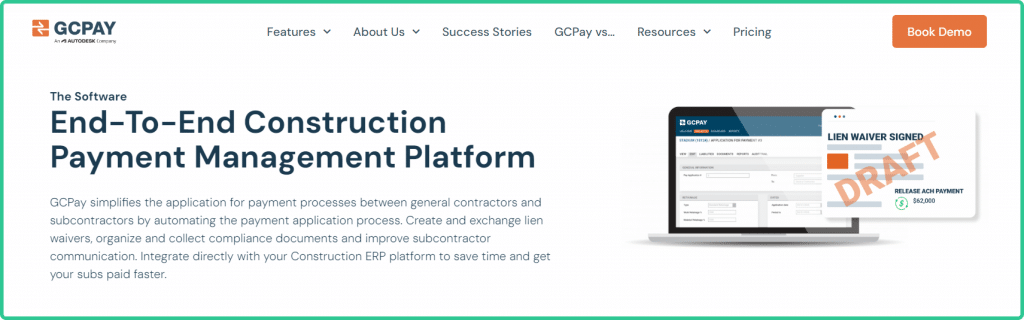
GCPay is a cloud-based construction management software designed to streamline the payment application process for general contractors and subcontractors. It automates the creation and management of pay applications, facilitates the creation and exchange of lien waivers, and helps organize and collect necessary compliance documents.
This CoConstruct alternative provides integration with existing ERP platforms, thus saving time and ensuring subcontractors get paid quickly.
Despite the advantages GCPay provides, it’s not without its drawbacks. A notable inconvenience mentioned by users is the lag between the moment payment is debited from the general contractor’s bank account and when it reaches the subcontractors. This gap can create financial strain and uncertainty for all parties involved.
Furthermore, users have expressed a desire for a higher degree of control over payment processes, including functionalities such as the ability to reject invoices post-approval.
Conclusion: Finding the Right Fit for Your Construction Management Needs
The CoConstruct alternatives covered in this guide approach construction management from different angles. Some focus on estimating depth, others on owner-facing tools, and others on financial oversight. The right choice depends on how your team actually operates, not on how many features a platform can list.
What matters most in 2026 is continuity. Builders need systems where estimating flows into budgeting, schedules reflect real sequencing, and financial data stays tied to the job without constant reconciliation. Software that works in isolated phases often creates more coordination work as projects grow.
Evaluating platforms through real workflows is more effective than relying on demos alone. Pay attention to how easily data moves between preconstruction, active projects, and financial tracking. Look for tools that reduce handoffs, limit duplicate entry, and support change without breaking the structure of the job.